Complete Change Control, From Request to Effectiveness Verification
Most post-change deviations happen because people weren't trained in time. eLeaP fixes that automatically.

The Change Control Problem: Book a Demo
Change control breaks down in predictable places: impact assessments that miss downstream dependencies, approvals stuck in email chains, revised procedures released before the people affected are ready, and effectiveness checks that never happen because the change is already closed.
- ❌ Impact assessments miss downstream effects on documents, design items, and risk records
- ❌ Approvals stall in email chains with no visible owner or due date
- ❌ Edits to released documents happen outside the controlled version history
- ❌ Effectiveness verification is treated as optional — until an auditor asks for it
The eLeaP Solution:
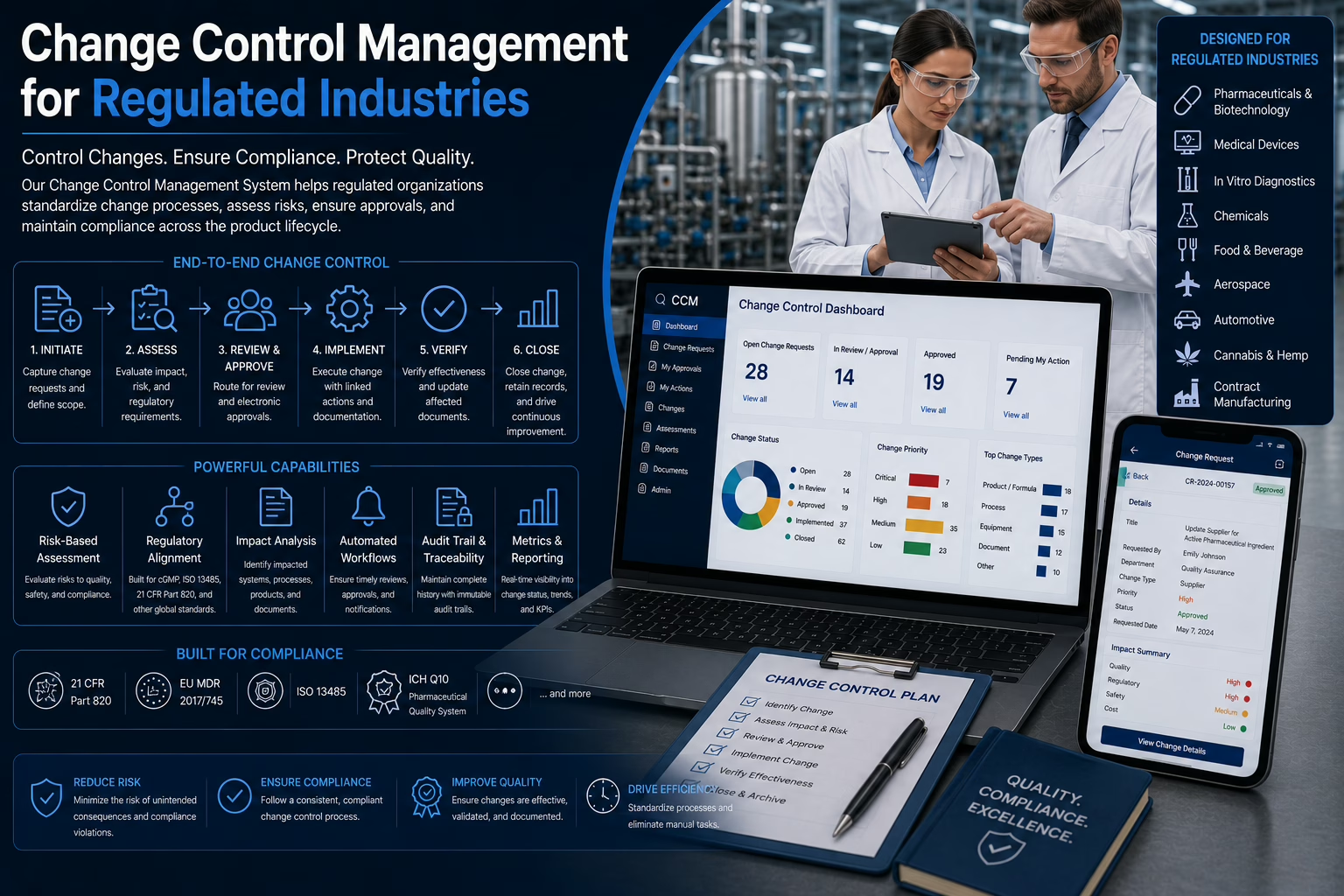
eLeaP manages change control in two structured phases — a Change Request that defines what needs to change and why, and a Change Order that controls how and when the approved change is executed.
During implementation, draft versions of affected documents, design items, and risk records are restricted to the change team. Current approved versions stay active for everyone else. No version confusion. No disruption to operations.
When the change is released, it can move to Monitoring — tracking effectiveness, KPIs, CAPAs, and follow-up actions until the change is verified as effective and closed.
- ✅ Impacted documents, design items, and risk records identified on the request, before work starts
- ✅ Reviewers, approvers, and QA oversight assigned up front, with overdue reviews flagged as Blocked
- ✅ Draft versions visible only to the change team while approved versions stay in use
- ✅ Monitoring status keeps a change open for effectiveness follow-up
Start your free 30-day trial. No credit card required. Get full feature access and implementation support. Or schedule a free session with one of our solution experts.
How eLeaP Change Control Works for Regulated Industries
Change control in eLeaP follows a two-phase lifecycle — a Change Request phase that defines what needs to change and why, and a Change Order phase that controls how and when the approved change is executed.
During the Change Request phase, impacted documents, design items, and risk items are identified, risks introduced by the change are recorded, and the approval workflow is configured before any implementation begins. Once approved, a Change Order takes over — managing implementation tasks and version control, with draft versions restricted to the change team while current approved versions stay active for all other users.
After release, a change can move to Monitoring status — tracking effectiveness, CAPAs, complaints, and validation outcomes until the change is verified and closed.
Built for ISO 9001, ISO 13485, FDA QMSR (21 CFR Part 820), AS9100, IATF 16949, and GxP environments.
Key Features
-
Change Requests with Justification and Impact Level
Capture the title, description, justification, impact level (Low, Medium, or High), owner, and due date. Select the impacted documents, design items, and risk items and describe the expected change to each. Any edit to an Approved or Effective document, or to a design or risk item marked Done, starts with a Change Request.
-
Risks and Evaluation on the Request
Record the risks or hazards a change could introduce and complete any evaluation forms your organization requires, so the review starts with the full picture. For design changes, assess the effect on form, fit, and function; any “yes” marks a formal design change that needs verification and validation.
-
Configurable Approval Workflow
Assign reviewers, approvers, and QA oversight to each request and order. Reviews and approvals that are not completed within their due dates move the change to Blocked automatically, so stalled changes are visible instead of silent.
-
Change Orders That Inherit the Request
An approved Change Request becomes a Change Order that carries its data forward. Set priority and choose Major or Minor to control version behavior: a minor change moves v1.1 to v1.2, a major change moves v1.1 to v2.0.
-
Controlled Implementation
When implementation begins, eLeaP creates draft versions of every impacted item, visible only to the change owner, item owners, and assigned reviewers. Everyone else keeps working from the current approved versions. Assign tasks, track completion, and lock drafts when they go to review.
-
Automatic Version Release
On final approval, draft versions are promoted to the new official version and previous versions are archived, with version numbers incremented according to your Major or Minor selection. Records show the change description, affected items, approver identities, and approval and effective dates.
-
Monitoring After Release
Move a released change to Monitoring to follow effectiveness, KPIs, CAPAs, complaints, validation outcomes, and follow-up actions until the change is verified and closed.
-
Organization-Wide Change Dashboard
The Summary page shows your tasks and due dates, change requests and change orders by status, the change with the most recent activity, and the change with the highest recorded impact, with a chronological Activity History behind it.
What You Get with eLeaP Change Control
-
Traceability Across the Quality System
Change Control works directly with document management, design and development, and risk management, so revisions, design updates, and risk updates all follow one controlled path.
-
Linked to the Events That Trigger Change
Link a Change Request to the audit finding, complaint, or CAPA that prompted it, using Related Items, and keep the reason for the change and its outcome in one traceable record.
-
A QA Checklist Built In
QA review covers administrative traceability, correct major or minor versioning, restricted draft visibility during implementation, the form-fit-function assessment, and documented risks and evaluations.
-
Training for Revised Procedures
Once a revised document is Approved or Effective, send it to the learning platform from the document record and follow completion from a Training tab. See the training management module.
-
Complete Audit Trail
Comments, tasks, and a full activity history are attached to every request and order, with the system-wide audit trail behind them.
-
Connect Other Systems
Raise and read change requests and orders from other systems through the eLeaP API, with token-based access scoped to what each service needs. Services can create and edit drafts, while review and approval stay with a named person.
Why eLeaP for Change Control?
eLeaP has spent 20 years building validated compliance solutions for regulated industries — medical device, pharmaceutical, biotech, manufacturing, aerospace, and more. Change control in eLeaP isn’t a standalone module. It connects directly to Documents, Design Controls, and Risk Management — so changes cascade correctly across the quality system without manual coordination.
And because the eLeaP QMS and LMS are built together, revised procedures can go straight from the document record to training, with completion tracked alongside the document.
Complete audit trail from request to effectiveness verification. One Platform.
-
Change Request to Change Order. Nothing skipped.
-
Current versions stay live while drafts are in progress.
-
Documents, design items, and risks changed under one control.
-
Monitoring keeps changes open until effectiveness is shown.
Proven Benefits:
-
Predictable Change Cycles
Defined reviewers and approvers, due dates, and automatic Blocked status for overdue reviews keep every change moving and every delay visible.
-
Reduced Compliance Risk
Documented justification, impact, approvals, and effectiveness follow-up close the gaps that commonly lead to audit observations.
-
Fewer Version Mix-Ups
Current approved versions stay active while drafts are in progress, and drafts are visible only to the people working on them.
-
Operational Continuity
Operations continue on approved versions during implementation, then move to the new version when the change is released.
-
Full Lifecycle Visibility
Status, owner, impacted items, approvals, tasks, and monitoring for every change in one system. Audit requests get answered from one place.
-
Inspection-Ready by Default
When a regulator or auditor asks for a change record, you produce the complete history — request, justification, impact, approvals, version release, and monitoring — from one platform.
eLeaP Change Control is trusted by organizations across pharmaceutical, medical device, biotechnology, manufacturing, and aerospace industries. Start your free trial below or schedule a demo today.
The Change Control Management Module is part of the comprehensive eLeaP Quality Management System.
Change Control FAQs
-
When is a Change Request required?
Any modification to a finalized controlled item: an Approved or Effective document, a design item marked Done, or a risk item marked Done.
-
What is the difference between a Change Request and a Change Order?
The Change Request defines what needs to change and why, and goes through review and approval. The Change Order implements an approved request: drafts are created, tasks are worked, and approved drafts become the new official versions.
-
Can people still use the current procedure during a change?
Yes. Drafts are visible only to the change owner, item owners, and assigned reviewers. All other users continue to see the current approved versions until the change is released.
-
How are major and minor changes handled?
You mark the Change Order as major or minor. A minor change increments the version from v1.1 to v1.2, and a major change from v1.1 to v2.0.
-
Does it support QMSR and ISO 13485?
Change Control keeps the records these frameworks expect, including the description of the change, affected documents, approver identities and signatures, and approval and effective dates. Read more about QMS for medical devices.
-
How can we try it?
Start a free trial or book a demo to see Change Control working with your documents, design items, and risks.
Explore Related Capabilities
Change control works best connected to documents, risk, design, and corrective action in one system.