eQMS Explained: What It Does and How to Choose One

The audit-evidence test
Could your team prove which procedure was in effect on a given date, who was trained on it, and why a CAPA was closed, without searching across five different places?
Picture two quality offices on the same afternoon. An auditor asks each one for the current procedure, the training proof, the linked change record and the CAPA rationale. In the first office, people start opening spreadsheets and email threads. In the second, one person opens a single record and follows the links from procedure to approval to training to CAPA. Both offices did the work. The second can show the evidence without reconstructing it across multiple locations.
Quality organizations do not get audited on effort. They get audited on evidence.
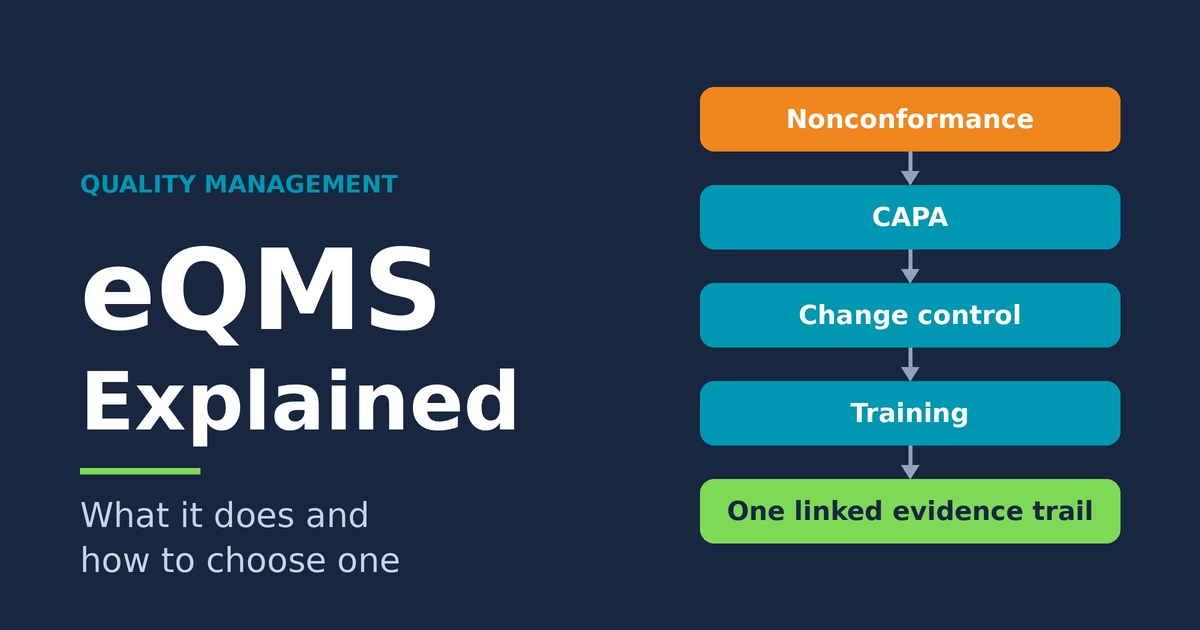
That second office runs an electronic quality management system, or eQMS. An eQMS brings documents, training, investigations, corrective actions and change control into connected workflows. Its value comes from the relationships between those records, which your team can follow from any one of them to the procedures, decisions, training and approvals behind it.
Watch the video for a walkthrough of one supplier-quality event, then use this article to review the key capabilities and compare systems.
Jump to a section in the video
| Time | Topic |
| 0:00 | The audit-evidence test |
| 0:39 | What is an eQMS? |
| 1:27 | A supplier nonconformance, from intake to closure |
| 3:34 | Manual versus connected workflows |
| 4:44 | Five capabilities that matter |
| 6:31 | Seven questions for choosing an eQMS |
| 9:51 | AI in quality software |
| 11:20 | Evaluation recap and practical next step |
What an eQMS is
An eQMS is one connected system for document approval, execution, training, investigation, change control and the evidence trail behind each. It connects documents to the people, events and records that depend on them.
Start with a controlled document, such as an SOP. Once it is approved, the system can send the affected people their training and link every change record and CAPA that references it. Each of those links is a piece of evidence an auditor can ask for. The value of an eQMS lives in the connections between records.
Typical areas include document control, training records, CAPA (corrective and preventive action), change control, nonconformance and complaint handling, audits, supplier quality and risk records. Which of those you start with depends on where evidence hurts most today.
One caution belongs here. Compliance comes from an organization’s procedures, records, training, governance and oversight. Software supports each of them, and the organization remains responsible for how it uses the system.
One quality event from start to finish
Say a supplier ships a batch of housings, and at incoming inspection an analyst measures a dimension out of tolerance. This is a hypothetical event, and it touches almost every part of the quality system. The sequence below is one example. Your own procedures define which steps apply and in what order.
- The nonconformance is logged with the lot, the supplier, the measurement and the inspector, and the batch goes on hold so nobody builds with it.
- Supplier response and disposition. The team requests the supplier’s input and supporting records. Where appropriate, it issues a supplier corrective action request, called a SCAR. The nonconformance record also links to the material review board’s disposition decision for the held batch.
- The team uses root-cause analysis tools, such as a fishbone diagram and asking why five times, and attaches its findings to the record. In this scenario, it discovers that the supplier built to a drawing one revision behind, then investigates why the drawing-control process allowed that revision to be used.
- Which other lots and products could share this cause? The answer sets how far the corrective action has to reach.
- In this example, the team determines that the issue requires a CAPA, and the risk assessment feeds a corrective and preventive action. The corrective action fixes how the supplier controls drawings. The preventive action checks every other supplier that receives drawings the same way.
- The fix needs a revised incoming inspection procedure and a drawing-release step for suppliers. A change control record links to the CAPA and routes for approval with its own risk review.
- Once the revised procedure is approved, the system assigns training to the inspectors and buyers it affects. Training completion is required according to the approved workflow, so the CAPA stays open until that training is done.
- Effectiveness check. Closure follows predefined effectiveness criteria and supporting evidence. After a set period, a review of the next batches from that supplier shows whether the fix held. If it did, the CAPA closes.
Every approval and signature along the way sits on one linked trail. Now return to the auditor’s request from the opening. The current procedure, the training proof, the change record and the CAPA rationale all sit on that trail, each with names and dates. Open the CAPA and follow its links to the initiating nonconformance, related changes, training records and effectiveness evidence.
Manual versus connected workflows
Run the same event in a manual system. The nonconformance arrives by email and the log lives in a spreadsheet. The CAPA form waits in a shared drive folder. Each tool does its own job, and nothing links them.
| Where evidence lives | Manual system | Connected workflow |
| Procedure versions | Copies in several folders, and someone can print an older revision | Versions are controlled and earlier ones stay retrievable |
| Training records | A separate spreadsheet updated by hand | Training is assigned when the procedure changes, and completion is verified |
| Approvals | Email and paper signatures | Roles decide who can approve, and each signature ties to a named user |
| CAPA and change links | Rebuilt from messages and files | Linked records with history on one trail |
| Audit retrieval | A search across email, drives and binders | Follow the links from one record |
Say two copies of a procedure sit in different folders. Someone prints the older revision, and it reaches the shop floor before anyone notices. When a procedure changes, nothing tells the training spreadsheet, so retraining depends on someone remembering. Proving who approved what and when means collecting messages and scanned pages from several people and hoping the set is complete.
Manual systems often work well day to day. The strain appears when someone asks for evidence that crosses several records, because the connections live in people’s heads. Multiply that by an audit week. Every request becomes a search, and every answer needs someone to confirm it is the current version.
Five capabilities that matter
Feature lists run long. Five capabilities do most of the work, and each one is best judged by the outcome it produces.
- Controlled documents. Everyone works from the current approved version, and every earlier version stays retrievable with its approval history. A useful test is to ask for a document as it stood two years ago and for the name of whoever approved it.
- Workflow and electronic approvals. Routing follows the roles written in your procedures, and each signature ties to one named user, so the record shows who approved what and when. Ask what happens when an approver leaves the company or changes roles. Routing should keep working, and the record should still show who approved under which role.
- Training evidence. When a procedure changes, the system should help identify the affected roles, assign the required training and retain completion evidence. Where your approved workflow requires it, completion should be verified before implementation or record closure. Test whether the system can show who completed the required training on the applicable revision, and when. This answers the question auditors ask most directly: who was trained on this procedure before they used it?
- Traceability across CAPA, change control and audits. Pick any record and see what triggered it, what it changed, who approved it and what evidence sits behind it. Try it with a real question: which CAPAs came from supplier problems, and which changes did they produce? A traceable system answers from the records, with no manual reconstruction.
- Dashboards and trend visibility. Open CAPAs and overdue training show where quality work is stalling, and repeat nonconformances by supplier show where problems return. Leaders see both before an auditor does.
Seven questions for choosing an eQMS
Choosing a system is where expensive mistakes happen. Seven questions keep the decision grounded, and together they work as a scorecard you can share across quality, IT, operations and procurement. Score each option against all seven, and disagreements surface early, when they are cheap to resolve. The scorecard below brings all seven evaluation areas together.
1. Regulatory and market fit
Which jurisdictions and product classes apply to you, and which GxP obligations come with them? GxP is shorthand for the good practice regulations, such as good manufacturing practice.
For U.S. medical device manufacturers, FDA’s Quality Management System Regulation (QMSR) has been in effect since February 2, 2026. Revised 21 CFR Part 820 incorporates ISO 13485:2016 by reference, subject to FDA-specific provisions. ISO 13485 certification requirements vary by market and regulatory pathway, so name the markets you sell into before you score.
For electronic records and signatures, 21 CFR Part 11 sets the criteria under which FDA considers electronic records, electronic signatures and handwritten signatures executed to electronic records to be trustworthy, reliable and generally equivalent to paper records and handwritten signatures. Whether Part 11 applies depends on the FDA predicate rules that cover each record. Adequacy depends on both the technology and how you implement it, so no product earns a blanket “Part 11 compliant” label.
2. Process fit
Does the workflow match how your organization actually handles documents, training, CAPA, change, audits, risk and suppliers? A poor match pushes people toward workarounds in spreadsheets. Bring your own scenario to the demo, such as a supplier nonconformance, and ask the vendor team to run it end to end in the tool.
3. Evidence and traceability
Can you retrieve a controlled record with its approvals, history, related records and accountable users? Ask for a live retrieval during the demo.
Data integrity guidance, such as the UK regulator MHRA’s GxP data integrity guidance, describes ALCOA: attributable, legible, contemporaneous, original and accurate. Extended expectations add complete, consistent, enduring and available. Use ALCOA as a lens for what your records should show. It comes from guidance, so attribute it to the regulator whose version you rely on.
4. Adoption and usability
Can authors, approvers, learners, investigators and suppliers use the system consistently? A system people avoid recreates the gaps it was bought to close. Ask to watch a real approver and a real supplier user complete a task in the demo. Hesitation there predicts workarounds after go-live.
5. Integration and data model
How does the system connect with your product lifecycle, enterprise planning, manufacturing execution and laboratory systems, and with identity, learning and analytics tools? Ask which connections are standard and which need custom work.
6. Computerized system assurance
How will intended use, risk, supplier oversight, testing and change control be governed? For EU GMP, EudraLex Volume 4, Annex 11 covers computerized systems used in GMP-regulated activities, including lifecycle management, security, supplier oversight, validation, audit trails and electronic signatures. Validation effort varies with intended use and risk, so ask each vendor which documentation and testing support they provide and which work stays with you.
7. Phased implementation and value
Which high-risk or high-friction workflows go first, and which measurable outcomes will show value? A first phase often starts where evidence hurts most, such as CAPA or document control, and adds other workflows once users trust the system. Baseline those measures before go-live so the comparison holds up. Any ROI figure in a vendor pitch needs a named source or clearly labeled assumptions.
Scorecard: the seven evaluation areas
Take this table into each vendor demonstration. Use a consistent scoring scale: 0 = not demonstrated; 1 = major gaps; 2 = partly meets the requirement; 3 = meets the requirement; 4 = exceeds the requirement with demonstrated value. Record the evidence behind each score. Mark mandatory requirements separately so a high overall score does not hide a critical gap.
| Evaluation area | Evidence to request | Notes / score |
| 1. Regulatory and market fit | Support for your applicable requirements and a clear division of responsibilities | |
| 2. Process fit | Your own quality scenario demonstrated end to end | |
| 3. Evidence and traceability | Live retrieval of a record, history, approvals and related evidence | |
| 4. Adoption and usability | Representative users completing common tasks | |
| 5. Integration and data model | Standard versus custom connections and data ownership | |
| 6. Computerized system assurance | Intended-use, risk, testing and change-control support | |
| 7. Phased implementation and value | First-phase scope, baseline measures and success criteria |
AI in quality software, with controls
AI is showing up in quality software, and it deserves the same scrutiny as any other feature. Start by asking what it does with your records and who reviews what it produces.
Practical uses include retrieving the right record, summarizing a long investigation and flagging trends across complaints and nonconformances so a person has a faster place to start. Say a reviewer asks for every open CAPA that mentions the same supplier. The assistant finds them and drafts a summary. The reviewer checks the sources, edits the summary and signs the record.
Each output still passes through an accountable human. A drafted root cause or a suggested risk score is an input to the investigation, and a qualified person reviews it before it becomes part of the record. The dividing line is simple to state: assistance prepares information for a person, and an automated decision changes a record without one. Quality systems can use the first with strict controls around the second. Approving a document or closing a CAPA stays with a named person, and the signature on the record shows who decided.
AI features fall under the same controls as everything else: intended use, risk assessment, testing, supplier oversight and an audit trail of what the system did. Ask for those answers in writing. Here is a good test for any AI feature. If an auditor asks how an output was produced and who reviewed it, can the record answer?
Start with the evidence your team struggles to retrieve
Pick one high-friction workflow, such as CAPA, document control or training assignment, and map every place its evidence lives today.
Use that map to build your requirements and a demonstration scenario. Then evaluate each platform against the same seven questions: regulatory fit, process fit, evidence, adoption, integration, assurance and phased value.
The goal of an eQMS is to make quality work connected, provable and actionable. Digitizing forms is a starting step, and the value builds in the connections between records.
eLeaP started as a learning management platform with 20 years of history and built its quality management system on top of it, so quality and training records move as one connected flow. eLeaP QMS covers document control, change control, events and CAPA, audits, risk, design controls and supplier management in one system, with a full audit trail. To see how it connects documents, training, CAPA and audit evidence, request a demo and bring a workflow your team knows well.
Sources
Check each link and its current revision before relying on it. This article is education and does not constitute legal, regulatory, certification or validation advice.
- 21 CFR Part 11, Electronic Records; Electronic Signatures
- S. Food and Drug Administration. Part 11, Electronic Records; Electronic Signatures, Scope and Application
- 21 CFR Part 820, Quality Management System Regulation
- S. Food and Drug Administration. Quality Management System Regulation (QMSR)
- S. Food and Drug Administration. QMSR Frequently Asked Questions
- International Organization for Standardization. ISO 13485:2016, Medical devices, Quality management systems, Requirements for regulatory purposes
- European Commission. EudraLex Volume 4, EU Guidelines for Good Manufacturing Practice, including Annex 11: Computerised Systems
- Medicines and Healthcare products Regulatory Agency. Guidance on GxP data integrity